Why Your ASP.NET Core Web API Breaks When You Scale It Horizontally
A Web API is the easiest kind of app to scale horizontally - no server-side UI state, usually token-based auth, requests that should not care which instance answers them. That is the theory. In practice a few framework defaults quietly assume a single process, and they only misbehave once a load balancer puts a second instance in front of your API. This is the first part of a short series on horizontal scale. Here I map out which state still lives inside the web process.
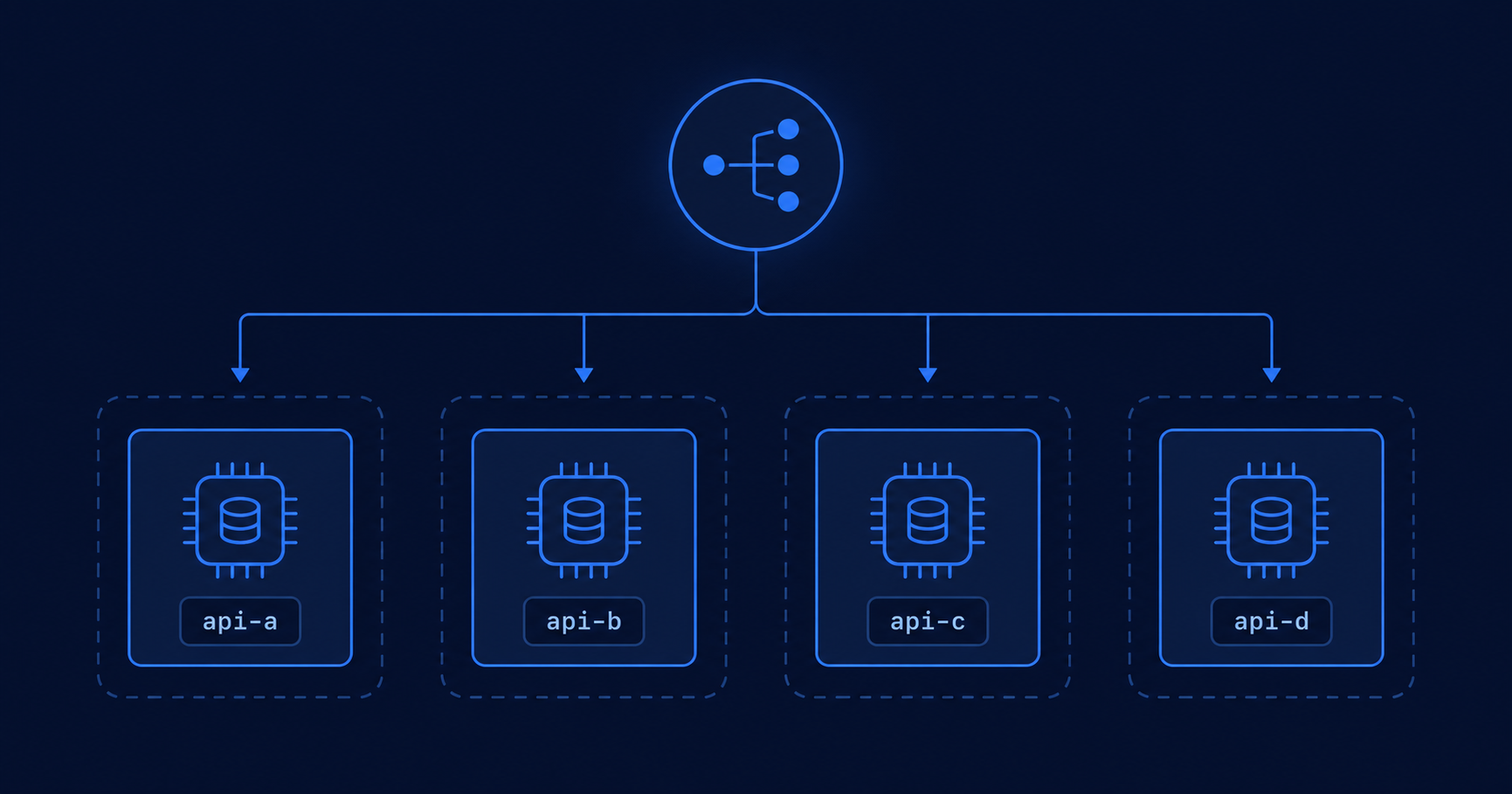
What changes when you add a second instance?
Horizontal scaling means running several copies of the same API behind a load balancer, instead of one bigger process. The load balancer spreads requests across the instances. It is one of the cheapest ways to add throughput and availability.
The catch is one assumption. Each instance is a separate operating system process, often on a separate machine or container, with its own memory and its own disk. With a single process, every request hits the same state. With many processes, request one might land on instance A and request two on instance B. Unless you pin a caller to one instance with sticky sessions - which the Microsoft docs note hurts scalability - you cannot assume any two requests share the same process. So the real fix is to stop depending on process-local state at all.
Which built-in features break first?
The surprising part is that you can hit this without writing any code that looks stateful. Three framework features that are common in a Web API rely on per-process state by default.
Rate limiting
The built-in rate limiting middleware keeps its counters in the memory of the process. There is no distributed store behind it, so each instance enforces the limit on its own. Whether that is a problem depends on what the limit is protecting.
If the limit protects each instance's own capacity - say, this process can handle a certain load of heavy work before it degrades - then per-instance enforcement is exactly right. Two instances giving twice the total throughput is the whole point of scaling, and you need nothing extra.
It breaks when the limit is meant to be global: a per-caller quota you promised ("100 requests per minute per API key"), or protection for a shared resource like a single database or a paid third-party API. There, the load balancer spreads one caller's requests across instances, so with four instances that caller gets roughly 400 requests per minute before any single instance says no - four times the intended limit.
builder.Services.AddRateLimiter(options =>
{
    // One bucket per API key, not one bucket for everybody
    options.AddPolicy("per-api-key", httpContext =>
        RateLimitPartition.GetFixedWindowLimiter(
            partitionKey: httpContext.Request.Headers["X-Api-Key"].ToString(),
            factory: _ => new FixedWindowRateLimiterOptions
            {
                PermitLimit = 100,                 // 100 requests...
                Window = TimeSpan.FromMinutes(1)   // ...per minute, per key
            }));
});options.AddFixedWindowLimiter("per-user", ...) and assume the name does something. It does not - that gives you a single counter shared by every caller on the policy, so "100 per minute" becomes 100 across your whole user base. The docs are clear that partitions are what "divide the traffic into separate buckets that each get their own rate limit counters". Without a partitionKey, there is one bucket.And note that partitioning does not rescue you from the scaling problem - the buckets still live in the memory of one process. Each instance keeps its own set of per-key counters, so the caller's effective limit still multiplies by the instance count.
To enforce a genuinely global limit you have two common options: a distributed rate limiter backed by a shared store such as Redis, or rate limiting at the gateway or ingress layer - an API gateway or reverse proxy - where all traffic passes through one place before it reaches your instances.
Output caching
Output caching has the same shape, and the docs are explicit about it: the default store keeps cached responses in-process, so each server has a separate cache that is lost whenever the server process restarts. A response cached on instance A does nothing for a request served by instance B. To share the cache across instances, back it with Redis.
// default store is in-memory, per instance
builder.Services.AddOutputCache();

// shared across instances via Redis
builder.Services.AddStackExchangeRedisOutputCache(options =>
{
    options.Configuration = "localhost:6379";
});
In-memory cache
IMemoryCache lives inside the process too, so each instance keeps its own copy. For a read-through cache over a database this is usually fine - the source of truth is still the database, and each instance rebuilding its own entries is acceptable. It only becomes a bug when you treat the cache as if every instance sees the same entries. When you do need shared cache state, use a distributed cache (or HybridCache with a distributed backing store).
Which of your own code carries the same trap?
Beyond the framework features, the same rule applies to anything you store in the process yourself.
A singleton or static field that holds data is per process - an in-memory counter, an ID generator, or a cached dictionary lives in one instance only, and the others never see it. Local files have the same problem, one step removed: writing a generated export to Path.GetTempPath() on one instance works until a later request to download it lands on a different instance, where the file does not exist. And background workers run per instance - a BackgroundService starts inside every app host, so if the worker polls for jobs, two instances can grab the same job at the same time. Making that safe is its own topic, which I will cover later in this series.
Environment.MachineName and Environment.ProcessId, then watch the values flip between calls through the load balancer.Which mechanisms carry hidden state?
| Mechanism | Real scope | Typical symptom after scaling |
|---|---|---|
| Rate limiter (built-in) | Per process | A global limit multiplies by instance count |
| Output cache (default store) | Per process | Response cached on one instance, recomputed on another |
| IMemoryCache | Per process | Inconsistent cached values across instances |
| Singleton / static field | Per process | Counters and throttles out of sync |
| Local file | Per machine / container | File written on one instance, missing on another |
| Background worker | Per instance | Same job processed more than once |
When is per-process state actually fine?
Not all local state is a bug. The test is whether the state must be shared, must survive a restart, or must coordinate work across instances. If the answer is no, keeping it local is fine and often faster.
- Fine to keep local: a read-through cache in front of a database, where each instance rebuilding its own copy is acceptable because the database is still the source of truth.
- Must be shared: rate limits that exist for fairness or cost, output cache you rely on for consistency, counters used for correctness, and any job that should run exactly once.
A stateless service is not a service with no state. It is a service whose important state does not privately belong to the web process. That state still exists - it just lives in shared infrastructure. Moving it there is the subject of part two.
Frequently asked questions
Each instance enforces the limit in its own process memory, with no distributed store behind it. That is fine when the limit protects each instance's own capacity - the total throughput simply scales with the number of instances. It is a problem when the limit is meant to be global, like a per-caller quota or protection for a shared resource, because one caller's requests are spread across instances and the effective limit multiplies. For a global limit, use a distributed rate limiter backed by Redis, or enforce it at the gateway or ingress layer.
Not by default. The default output cache store is in-process, so each server has a separate cache that is lost when the process restarts. To share cached responses across instances, use the Redis-backed store via AddStackExchangeRedisOutputCache.
No. IMemoryCache lives inside the web process, so each instance keeps its own cache. For read-through caching over a database this is usually acceptable, since the database remains the source of truth. For shared cache state, use a distributed cache or HybridCache with a distributed backing store.
Usually not. A token-based, stateless API does not need stickiness. You only need it if you keep per-user state in process memory, and even then the Microsoft docs recommend externalizing that state to a distributed store instead, because sticky sessions hurt scalability and complicate deployments.
Yes. A singleton is one object per process, not per deployment, so two instances have two separate singletons. A BackgroundService starts inside every app host, so every instance runs its own copy of the worker. Both are safe on one process and need care once you scale out.
Because each instance generates its own Data Protection key ring by default, and cookies encrypted by one instance cannot be decrypted by another. If your API issues auth cookies or antiforgery tokens, persist a shared key ring (file share, Blob, Redis, or database) and set the same application name on every instance.
Official resources
- Rate limiting middleware in ASP.NET Core - Microsoft Learn
- Output caching middleware in ASP.NET Core - Microsoft Learn
- Cache in-memory in ASP.NET Core - Microsoft Learn
- Dependency injection in ASP.NET Core (service lifetimes) - Microsoft Learn
- Background tasks with hosted services in ASP.NET Core - Microsoft Learn