Transactions in EF Core: What SaveChanges Already Does, and When to Take Over
SaveChanges call in one, so a single save either fully succeeds or leaves the database untouched. You need an explicit transaction only when one atomic unit spans more than one save - several SaveChanges calls, an ExecuteUpdate, raw SQL, or a second DbContext. And the moment you open one by hand, retrying execution strategies stop working unless you wrap the whole thing in CreateExecutionStrategy().Transactions in EF Core are one of those topics where the framework does most of the work for you, silently, until one day it does not. Most of the transaction bugs I have seen were not caused by writing a transaction badly - they were caused by not realising one was already there, or by opening a second one on top of it. Here is what EF Core gives you for free, and the exact points at which you have to take over.
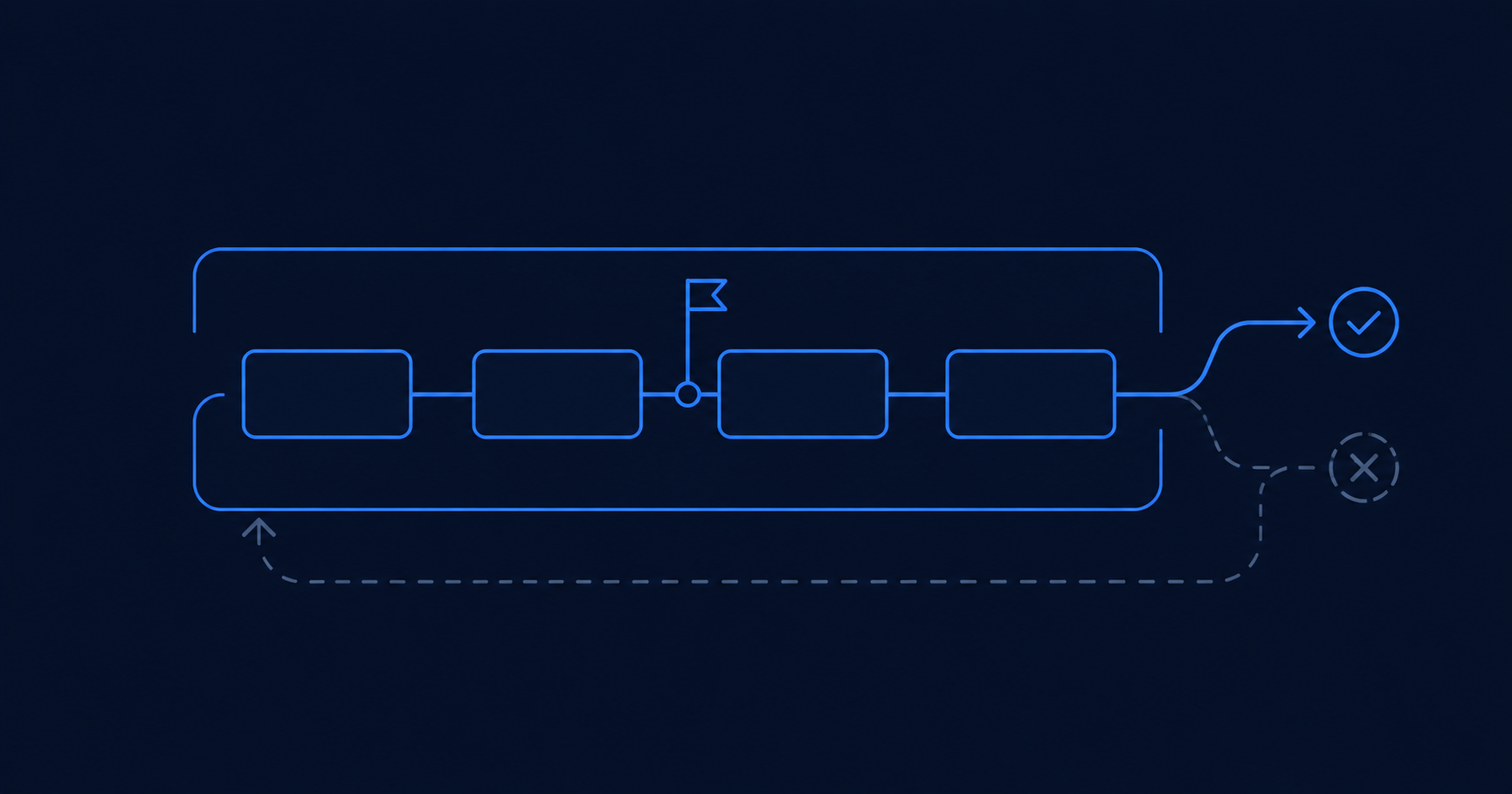
What does SaveChanges already give you?
More than most people assume. Straight from the docs: "By default, if the database provider supports transactions, all changes in a single call to SaveChanges are applied in a transaction. If any of the changes fail, then the transaction is rolled back and none of the changes are applied to the database."
So this is already atomic. The order and all of its lines are inserted together, or not at all. There is no half-written order, even if the third line violates a constraint.
var order = new Order { CustomerId = customerId };
order.Lines.Add(new OrderLine { Sku = "A-100", Quantity = 2 });
order.Lines.Add(new OrderLine { Sku = "B-220", Quantity = 1 });

db.Orders.Add(order);

// One transaction, opened and committed by EF Core.
await db.SaveChangesAsync(ct);
The docs are blunt about what follows from this: "For most applications, this default behavior is sufficient. You should only manually control transactions if your application requirements deem it necessary." If your unit of work is one SaveChanges, you are done - reaching for BeginTransaction here adds nothing but ceremony.
When do you actually need an explicit transaction?
When the thing that must be all-or-nothing is bigger than a single save. In practice that means one of these:
- Two or more
SaveChangescalls that must land together. - A
SaveChangesplus anExecuteUpdateorExecuteDelete. These bypass the change tracker and, as I covered in the article on conditional updates, they "do not implicitly start a transaction when they're invoked" - each call is its own. - EF Core plus raw SQL, or EF Core plus a second
DbContext.
Placing an order and decrementing stock is the classic case. The insert is one operation, the stock decrement is another, and shipping an order without reserving stock is exactly the corruption you are trying to avoid.
await using var tx = await db.Database.BeginTransactionAsync(ct);

db.Orders.Add(order);
await db.SaveChangesAsync(ct);

// Separate operation. Without tx it would be its own transaction;
// with tx open on the context, it joins this one.
var reserved = await db.Stock
    .Where(s => s.Sku == sku && s.Available >= quantity)
    .ExecuteUpdateAsync(s => s
        .SetProperty(x => x.Available, x => x.Available - quantity), ct);

if (reserved == 0)
    throw new OutOfStockException(sku);   // no commit -> rolled back on dispose

await tx.CommitAsync(ct);
There is no try/catch here on purpose. await using disposes the transaction on any exception, and a transaction disposed without a commit is rolled back. Calling RollbackAsync yourself in a catch is not just redundant - if the exception came out of CommitAsync, the transaction is already finished and the rollback can throw on top of the original error. Let disposal do it.
SaveChanges modifications and untracked modifications via ExecuteUpdate/ExecuteDelete", because ExecuteUpdate writes straight past the change tracker and leaves any tracked copy of that row stale. The example above is safe precisely because the two touch different entities - Stock is never loaded into the tracker. If you ExecuteUpdate a row you have also loaded and modified, the later SaveChanges will happily overwrite it.Which isolation level are you actually getting?
Whichever one your provider defaults to - on SQL Server, that is Read Committed. BeginTransactionAsync takes an overload if you need something stronger:
using System.Data;

await using var tx = await db.Database.BeginTransactionAsync(
    IsolationLevel.Serializable, ct);
The level decides which anomalies the database is allowed to show you inside the transaction.
| Level | Dirty read | Non-repeatable read | Phantom read |
|---|---|---|---|
| Read Uncommitted | possible | possible | possible |
| Read Committed (SQL Server default) | prevented | possible | possible |
| Repeatable Read | prevented | prevented | possible |
| Serializable | prevented | prevented | prevented |
The EF Core docs describe repeatable read as guaranteeing "that a transaction sees data in the database as it was when the transaction started, without being affected by any subsequent concurrent activity" - and note that databases reach that guarantee in two very different ways. SQL Server's repeatable read takes shared locks, so a concurrent writer blocks until you finish. SQL Server's snapshot level does not lock; it lets the other transaction write and then raises a serialization error when you try to. Serializable, per the docs, "provides the same guarantees as repeatable read (and adds additional ones)".
Raising the level is not free - you trade concurrency for consistency, and on a locking implementation you trade it for blocked writers. If you do raise it, keep the transaction short.
What are savepoints, and why does EF Core create them for you?
Here is a behaviour most people do not know about. Once a transaction is open on the context, EF Core is quietly protecting each save inside it:
"WhenSaveChangesis invoked and a transaction is already in progress on the context, EF automatically creates a savepoint before saving any data... IfSaveChangesencounters any error, it automatically rolls the transaction back to the savepoint, leaving the transaction in the same state as if it had never started."
That is why a failed SaveChanges inside a transaction does not poison the whole transaction. You can catch the error, fix the data, and save again - which is exactly what you want when a concurrency conflict throws.
Which tells you exactly when a manual savepoint is worth placing - and when it is not. Wrapping a single SaveChanges in your own savepoint adds nothing: EF already did it. A manual savepoint earns its place when the optional sub-unit is made of several saves, and a failure in the last one must undo all of them.
Enrolling an order into a loyalty programme is that shape. It writes a membership row, then applies points, then records a bonus - three saves. If the bonus step fails, you want the whole enrolment gone, but the order itself to survive.
await using var tx = await db.Database.BeginTransactionAsync(ct);

db.Orders.Add(order);
await db.SaveChangesAsync(ct);

// Everything after this point is optional and must undo as a group
await tx.CreateSavepointAsync("BeforeEnrolment", ct);

try
{
    db.Memberships.Add(membership);
    await db.SaveChangesAsync(ct);

    db.PointsEntries.Add(points);
    await db.SaveChangesAsync(ct);

    db.Bonuses.Add(bonus);
    await db.SaveChangesAsync(ct);   // if this fails, the two above must go too
}
catch (LoyaltyException)
{
    // Undo the whole enrolment. The order survives.
    await tx.RollbackToSavepointAsync("BeforeEnrolment", ct);
}

await tx.CommitAsync(ct);RollbackToSavepointAsync undoes the rows, but the change tracker is untouched - the entities you added or modified after the savepoint are still sitting there in their Added or Modified state. Commit right after, as above, and nothing more is written. But call SaveChanges again on the same context and EF will cheerfully re-apply the changes you just rolled back. If the context lives on, clear the tracker or drop the context.SaveChanges, "the transaction may be left in an unknown state". If your connection string has MultipleActiveResultSets=True, you have silently lost this safety net.Why does your transaction break the moment you enable retries?
This is the one that bites people in production, and it appears the first time someone turns on connection resiliency for Azure SQL.
With EnableRetryOnFailure(), EF Core wraps each operation so it can be replayed after a transient failure. But an explicit transaction defines your own unit of work, and EF cannot know how to replay it. So it refuses:
InvalidOperationException: The configured execution strategy
'SqlServerRetryingExecutionStrategy' does not support user-initiated
transactions. Use the execution strategy returned by
'DbContext.Database.CreateExecutionStrategy()' to execute all the
operations in the transaction as a retriable unit.
The error message tells you the fix, and it is worth reading carefully: hand the entire transaction to the execution strategy as a single delegate. If a transient failure hits, the strategy replays the whole block - transaction and all.
// IDbContextFactory, injected. The delegate may run more than once,
// so it must build its own context every time.
await using var probe = await factory.CreateDbContextAsync(ct);
var strategy = probe.Database.CreateExecutionStrategy();

await strategy.ExecuteAsync(async () =>
{
    await using var db = await factory.CreateDbContextAsync(ct);
    await using var tx = await db.Database.BeginTransactionAsync(ct);

    db.Orders.Add(new Order { CustomerId = customerId, Sku = sku });
    await db.SaveChangesAsync(ct);

    await db.Stock
        .Where(s => s.Sku == sku)
        .ExecuteUpdateAsync(s => s
            .SetProperty(x => x.Available, x => x.Available - quantity), ct);

    await tx.CommitAsync(ct);
});
Everything that must be retried together goes inside the delegate. This is not optional decoration - without it, any explicit transaction in an app with retries enabled throws on the first line.
DbContext and an entity instance created outside. Do not. If the first attempt saved successfully and only the commit failed, that entity is now tracked as Unchanged and carries a generated key - re-running Add on the retry is meaningless. Build a fresh context and fresh entities inside the delegate, which is exactly why the Microsoft sample creates its context there too.How do you share one transaction across contexts or with raw SQL?
Two contexts do not automatically share a transaction, because they do not automatically share a connection. The docs are strict about the requirement: "To share a transaction, the contexts must share both a DbConnection and a DbTransaction."
That first half is the one people skip. A DbTransaction belongs to the connection it was opened on, so handing it to a context sitting on a different connection does not work. Both contexts have to be constructed over the same connection instance.
using Microsoft.EntityFrameworkCore.Storage;   // for GetDbTransaction()

await using var connection = new SqlConnection(connectionString);

// Both contexts are built over the SAME connection instance
var orderOptions = new DbContextOptionsBuilder<OrdersContext>()
    .UseSqlServer(connection)
    .Options;

var auditOptions = new DbContextOptionsBuilder<AuditContext>()
    .UseSqlServer(connection)      // <- the same 'connection', not a new one
    .Options;

await using var orders = new OrdersContext(orderOptions);
await using var tx = await orders.Database.BeginTransactionAsync(ct);

orders.Orders.Add(order);
await orders.SaveChangesAsync(ct);

// Second context enlists in the transaction already running on that connection
await using var audit = new AuditContext(auditOptions);
await audit.Database.UseTransactionAsync(tx.GetDbTransaction(), ct);

audit.Entries.Add(new AuditEntry { Action = "OrderPlaced", OrderId = order.Id });
await audit.SaveChangesAsync(ct);

await tx.CommitAsync(ct);   // both contexts commit as one
The same UseTransactionAsync call is how you mix EF Core with raw ADO.NET: open the connection and the DbTransaction yourself, set command.Transaction on the raw command, hand the same transaction to the context, and both commit or roll back as one.
What about TransactionScope?
TransactionScope gives you an ambient transaction - anything that enlists on the current thread joins it, without you passing a transaction object around. It is the right tool when the scope you need to coordinate is wider than one context.
It comes with sharp edges, though, and the docs list them plainly:
- Async needs an opt-in. "If you're using async APIs, be sure to specify
TransactionScopeAsyncFlowOption.Enabledin theTransactionScopeconstructor to ensure that the ambient transaction flows across async calls." Forget it, and yourawaitsilently escapes the scope. - No async commit or rollback. "TransactionScope does not support async commit/rollback; that means that disposing it synchronously blocks the executing thread until the operation is complete."
- Distributed transactions are narrow. Support "was added to .NET 7.0 for Windows only. Any attempt to use distributed transactions on older .NET versions or on non-Windows platforms will fail." If you deploy to Linux containers, that is a hard stop.
using var scope = new TransactionScope(
    TransactionScopeOption.Required,
    new TransactionOptions { IsolationLevel = IsolationLevel.ReadCommitted },
    TransactionScopeAsyncFlowOption.Enabled);   // do not omit this

// ... EF Core and/or ADO.NET work here ...

scope.Complete();
When should you use each?
| Approach | Use it when |
|---|---|
Nothing - just SaveChanges | Your atomic unit is one save. This covers the large majority of code, and the docs recommend it. |
BeginTransactionAsync | The unit spans several saves, or mixes SaveChanges with ExecuteUpdate, ExecuteDelete, or raw SQL. |
A stricter IsolationLevel | Read Committed is not enough - you cannot tolerate non-repeatable reads or phantoms inside the transaction. Expect to pay in concurrency. |
| Savepoints | An optional sub-unit inside a transaction spans several saves and must be abandoned as a group. A single save is already protected automatically. |
CreateExecutionStrategy() wrapper | Always, when retries are enabled and you open a transaction by hand. Not optional. |
UseTransactionAsync | Two contexts, or EF Core plus ADO.NET, must commit as one. |
TransactionScope | You need an ambient transaction across a wider scope - and you have checked the async and platform limitations above. |
The short version: start with none of it. Add an explicit transaction only when you can name the second operation that has to land with the first. That single question - "what else must succeed or fail with this?" - decides everything on this page.
Frequently asked questions
Yes. If the provider supports transactions, all changes in a single SaveChanges call are applied in one transaction. If any change fails, the whole call is rolled back and the database is left unmodified. You do not need BeginTransaction to make a single save atomic.
When the all-or-nothing unit is bigger than one save: several SaveChanges calls, a SaveChanges combined with ExecuteUpdate or ExecuteDelete (which do not start a transaction of their own), raw SQL mixed with EF Core, or two DbContext instances that must commit together.
Because you enabled a retrying execution strategy (EnableRetryOnFailure) and then opened a transaction yourself. EF cannot know how to replay your transaction after a transient failure, so it throws. The fix is to get an execution strategy from DbContext.Database.CreateExecutionStrategy() and run the whole transaction inside strategy.ExecuteAsync, so it can be retried as one unit.
Yes. When SaveChanges is called while a transaction is already open on the context, EF creates a savepoint first. If the save fails, it rolls back to that savepoint, so the transaction is left as if the save never happened and you can correct the problem and retry.
Because of MARS. The docs state savepoints are incompatible with SQL Server's Multiple Active Result Sets, and EF will not create them when MARS is enabled on the connection - even if MARS is not actively used. If SaveChanges then fails inside a transaction, the transaction may be left in an unknown state. Check your connection string for MultipleActiveResultSets=True.
Yes, but you must pass TransactionScopeAsyncFlowOption.Enabled to the constructor, otherwise the ambient transaction does not flow across await calls. Also note that TransactionScope has no async commit or rollback - disposing it blocks the thread - and distributed transactions only work on .NET 7 or later, on Windows.